You can delete your WikiFarms Australia account and its personal data at any time, directly from the app. Your account is optional: if you never signed in, there is no account to delete (see below).
Delete your account in the app (version 2.0 and later)
- Open the WikiFarms Australia appOn your iPhone or Android phone.
- Tap the ⚙️ gearAt the top right of the “My days” screen, to open Settings.
- Tap “Delete my account”In the “Account” section, then confirm.
What is deleted
- Your sign-in with Apple or Google, and the email address your provider shared with us. If you signed in with Apple, we also revoke WikiFarms’ access to your Apple ID.
- Your public profile (name and picture shown with reviews).
- Your notebook saved to your account (the copy that followed you to a new phone).
- Your thumbs on farms.
- The link between you and your reviews. The reviews themselves stay on the farms, without your name.
What is not deleted
- What is on your phone (payslips and their photos, day count, notes) stays on your phone. To remove it too, delete the app.
- Your purchase stays valid: it belongs to your Apple or Google account, and you can restore it at any time. Deleting your WikiFarms account doesn’t cancel or refund it: payments are handled by Apple and Google.
Never signed in?
Then we hold nothing that identifies you: only a random installation number, created by the app, which is not linked to your name or email. Deleting the app removes everything on your phone.
✉️ Can’t open the app?
Email info.wikifarms@gmail.com from the address linked to your account and ask us to delete it. We’ll confirm once it’s done. A deletion can take a few days to be fully processed.
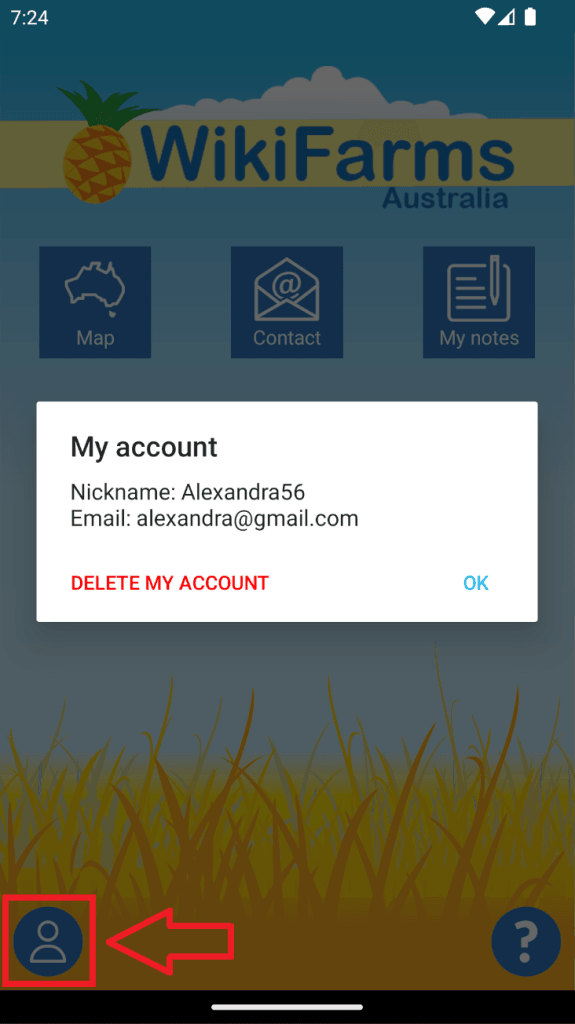
Using the old WikiFarms app (version 1)?
Tap the “User” icon at the bottom of the screen, then “DELETE MY ACCOUNT”, and confirm.
See also our app privacy policy.